How to Fix Sweaty Hands While Gaming (Mouse Tips, Grip Fixes & What's Actually Causing It)
 You're in a clutch. One shot left. Your crosshair drifts. Not because your aim broke, because your hand slipped.
Sweaty hands while gaming is more common than most players admit. Around 60% of gamers report it during intense sessions, and for competitive players it shows up at the worst possible moment, ranked queues, and even clutch rounds.
The good news: it's fixable. Here's what's causing it and what actually works.
Why Do Your Hands Sweat While Gaming?
It's Your Nervous System, Not Just Your Room Temperature
Competitive or high-stakes gaming triggers the sympathetic nervous system, the same fight-or-flight system that activates in any high-pressure situation. It releases adrenaline, raises your heart rate, and tells the eccrine glands in your palms to get to work. You don't need to feel nervous for this to happen. The brain just responds to stakes.
This is called emotional hyperhidrosis: palm sweating driven by psychological arousal, not temperature. It's why your hands stay dry watching someone else play the same match.
Why It Gets Worse the Longer You Play
The longer the session, the more compound the problem. Adrenaline, sustained concentration, and continuous contact with your mouse all stack together, creating a feedback loop: heat builds at your palm, sweat activates, grip gets slippery, you hold tighter, which generates more heat.
A 20-minute ranked match is manageable. A four-hour grind session is a different problem entirely.
Does Sweaty Hands Actually Affect Your Aim and Control?
What Moisture Actually Does to Your Grip Mid-Session
A small amount of moisture can briefly increase friction. Past that threshold, sweat becomes a lubricant, leading to missed inputs, slower reaction times, and unintended movements. For FPS players, that's a flicked shot that overshoots. For any precision player, it's the variable you can't see but feel every session.
There's also a vicious cycle at play, slip creates tension, tension creates more heat, heat creates more sweat. Managing sweat early breaks the loop before it compounds.
And it's not just your aim, persistent moisture degrades your mouse faster too. Cleaning your mouse properly after sessions extends both the coating and the internals.
What Mouse Features Actually Help With Sweaty Hands?
Coating and Weight, The Two Things That Matter Most
Matte coatings grip better than glossy ones when moisture is involved. Textured or rubberized surfaces hold through dampness; glossy finishes become a liability fast. Lighter mice require less grip force, which keeps hand tension lower across a long session, and lower tension means less heat and less sweat.
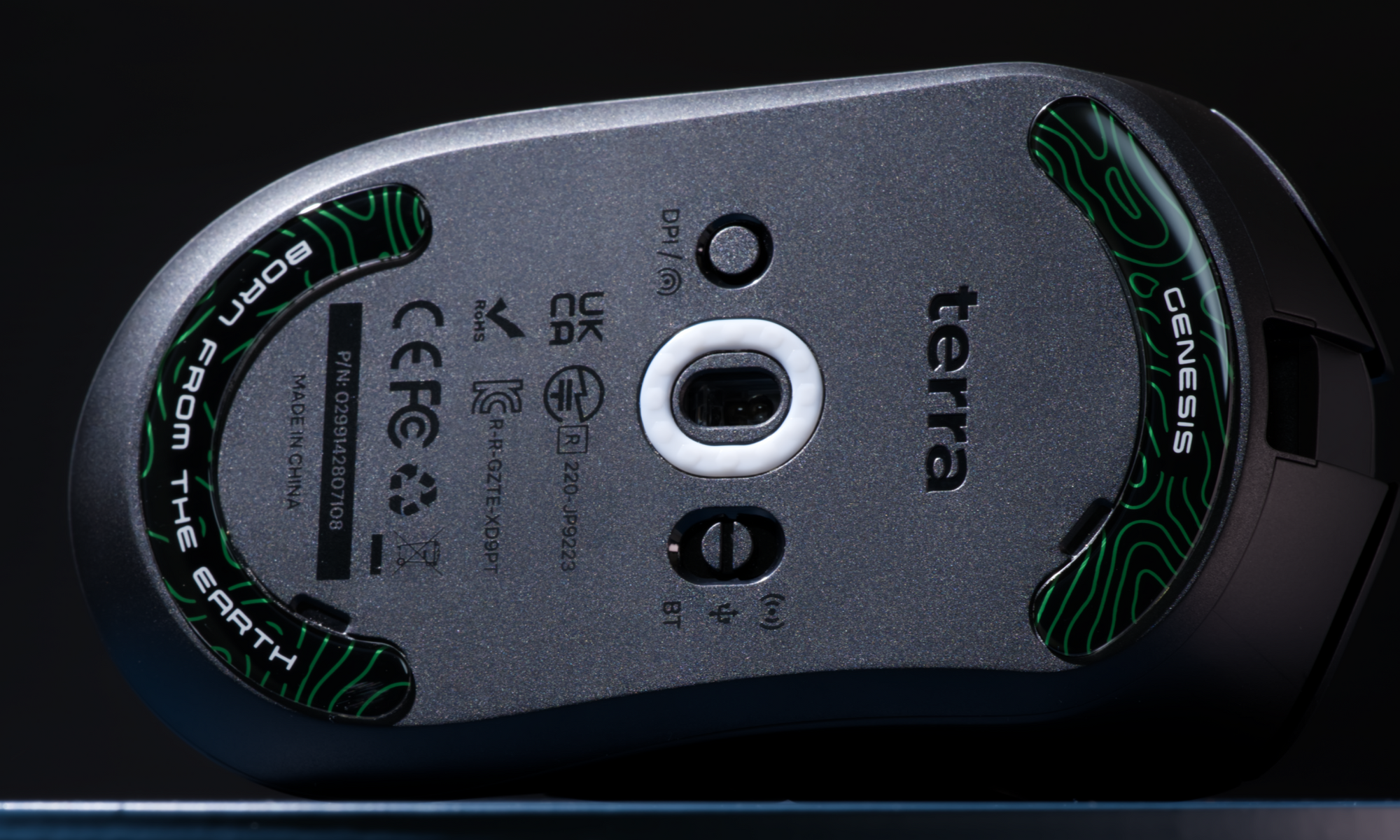
Honeycomb skate patterns like in the Terra Pro also help by promoting airflow between your palm and the mouse surface, slowing the heat buildup that accelerates sweating.
Why Mouse Shape Affects How Much You Sweat
A poor fit forces your hand to work harder to stabilize the mouse. Matching shape to your hand size and grip style directly reduces how much tension you carry during play, and tension is the main driver of palm heat.
The Terra PRO was built around this specifically: 49g, an ultra-grippy matte coating, honeycomb skates, and a right-handed ergonomic shape designed for extended sessions. On r/MouseReview, a player with 19.5x13cm hands, wide palms, short fingers, spent years trying mice that were too narrow and caused pain. After switching, they reported zero discomfort through a 7-hour session. Shape isn't a secondary spec. It's what your hand actually feels.
5 Fixes for Sweaty Hands While Gaming (Ranked by Impact)
1. Grip Tape. The Most Underrated Fix in Gaming
Grip tape is consistently ranked as one of the most effective hardware-level upgrades for sweaty hands, it adds friction that holds even when damp, and it doesn't fight your natural physiology the way antiperspirants do.
 Purposely cut tape for your specific mouse is the cleanest option. The Genesis Mouse Accessories Pack includes grip tape alongside honeycomb, dot, and flat skate options, everything you'd swap out across a mouse's lifespan in one pack. Apply to the back hump and sides where your palm and fingers actually contact the shell.
2. Fan + Environment
Direct airflow at your hands is the cheapest effective fix. A small desk fan pointed at your setup keeps palm temperature lower and slows the sweat feedback loop significantly. Keep the room cool where you can, even a 2–3°C drop makes a measurable difference.
3. Wash Hands and Start Dry
Wash with cool water before a session and dry completely. Residual moisture from a rushed rinse makes early session sweating worse, not better. Starting dry gives you a longer clean window before sweat becomes an issue.
4. Antiperspirant on Palms
Clinical-strength antiperspirants containing aluminum chloride block sweat glands at the source and can provide several hours of dryness per application. Apply before a session, not mid-game, and let it fully absorb before touching your mouse.
5. Take Breaks
Short breaks every 30–45 minutes let your hands cool and dry. It also dials back the sympathetic nervous system activation that drives palm sweating, stepping away for 2–3 minutes between queues is enough to reset.
In Short
Sweaty hands are partly biology, partly environment, partly gear. You can't eliminate the biology, but you can control the other two.
The right mouse shape reduces grip tension. The right coating holds through moisture. Grip tape fills the gap when neither is enough on its own. Managing these three variables is what actually moves the needle.
 If you're running the Terra PRO and want to cover the grip tape angle properly, the Genesis Mouse Accessories Pack includes grip tape pre-cut for the Terra Pro alongside honeyccomb, dot, and flat skate options. Everything your mouse needs to stay consistent through long sessions, in one place.